The Real Difference Between JMWE and ScriptRunner Isn't in the Feature List
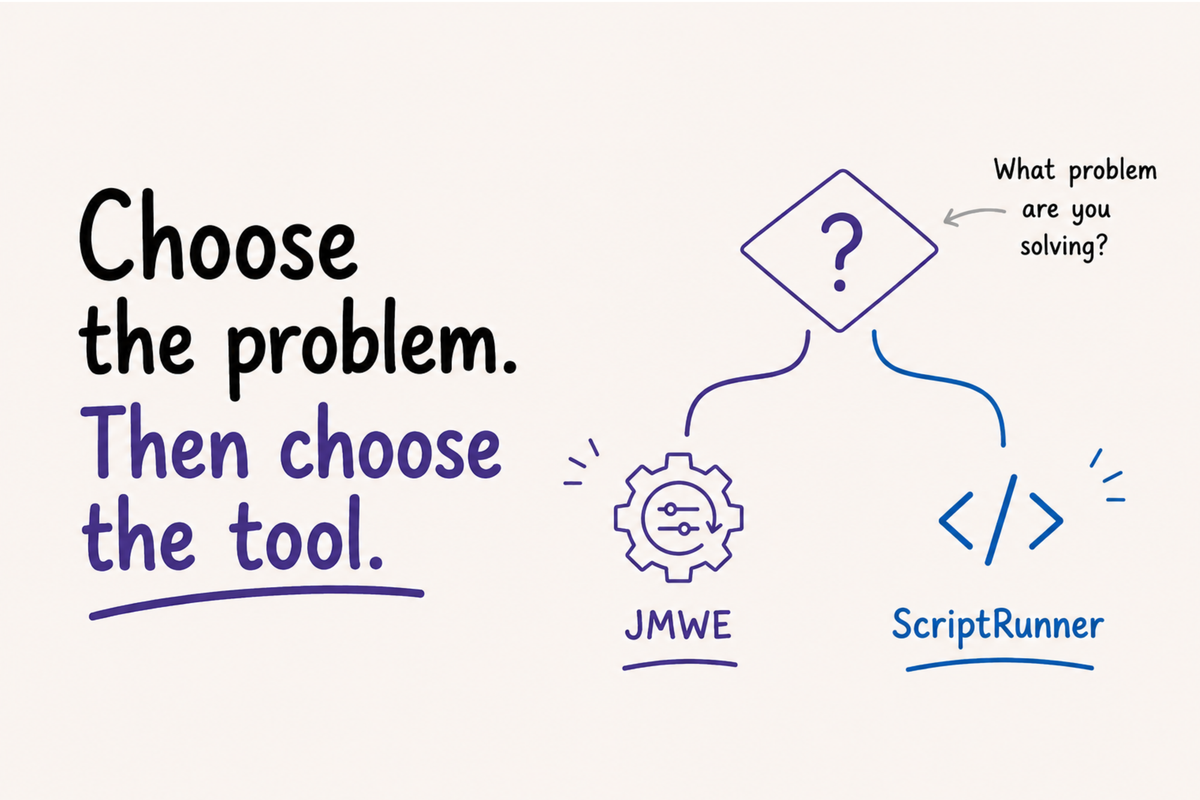
Every time someone asks which tool to choose between ScriptRunner and JMWE, the answer is inevitably "it depends." That's correct. The problem is that nobody explains what it depends on — and without that criterion, the decision keeps being made based on the preference of whichever admin is working on the project, not on the actual technical needs of the environment.
I've worked with both tools in enterprise environments. I've used Jira Misc Workflow Extensions (JMWE) to build integrations with SailPoint, Workday, MS Graph, SAP, Slack, and dozens of other applications over the years. I've used ScriptRunner when I hit the technical limits of Nunjucks. I've run both simultaneously in the same environment. What I learned through that process is that the question "which one is better?" is the wrong question.
The tool and the philosophy
ScriptRunner is a general-purpose scripting platform. JMWE is a workflow extensions engine. That distinction isn't semantic — it defines what each tool was built to do and where each one hits its ceiling.
JMWE starts from a catalog of over 30 ready-to-use post-functions, conditions, and validators. You configure through the interface, chain actions with Sequence of Post-functions, and define execution order in a visual, predictable way. The result is real speed: the distance between "I need this to happen on that transition" and "it's working in production" is short, without writing a single line of code for most cases. When the requirement goes beyond the catalog, JMWE lets you build custom post-functions, conditions, and validators — and that's where Nunjucks enters the picture, with its own learning curve.
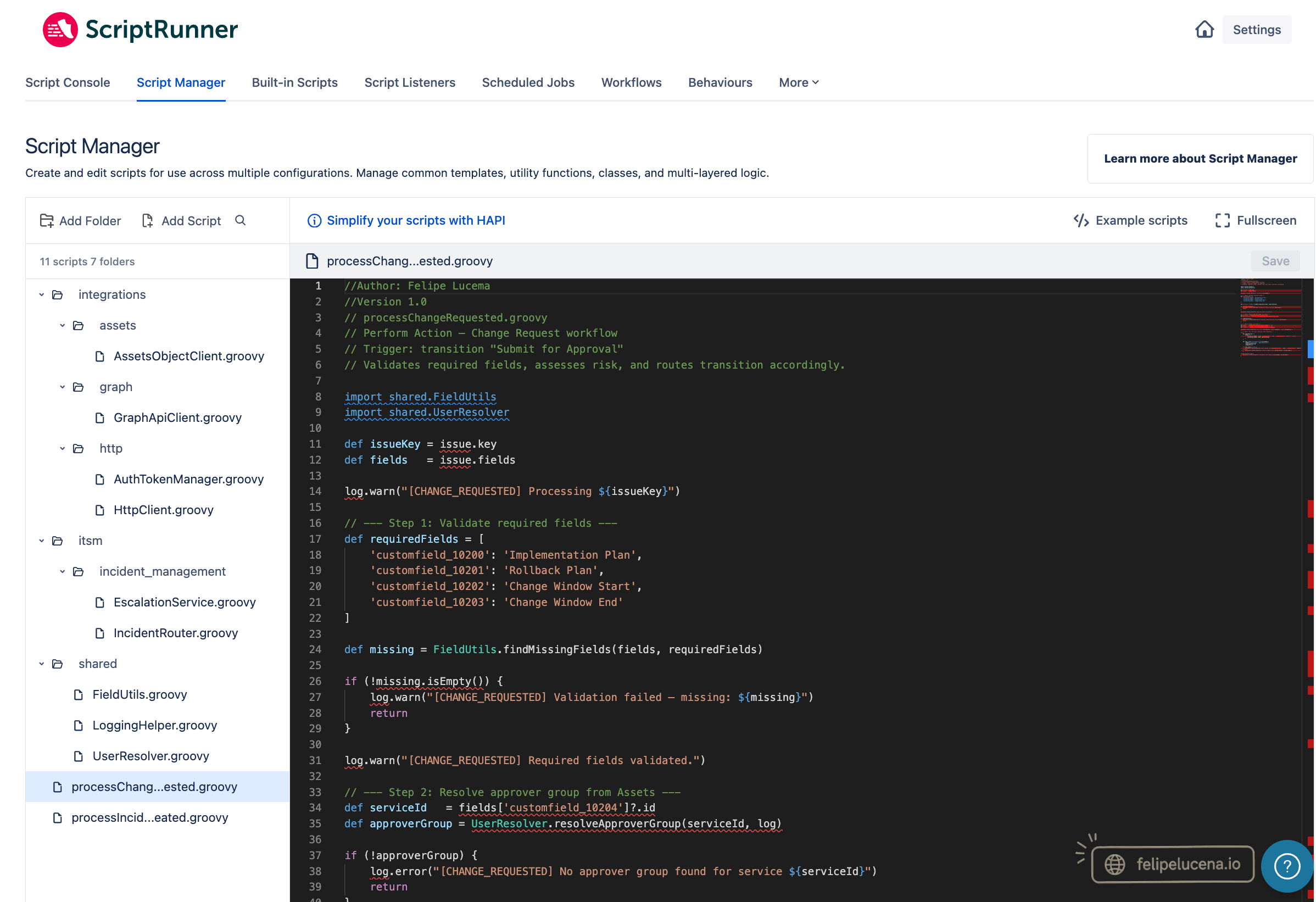
ScriptRunner starts from the other end. The value is in Groovy: a full programming language with a modular structure via Script Manager, where infrastructure classes and business logic live in separate files, reusable across multiple scripts. When the logic becomes complex enough to need code organization that scales with the project, SR has the architecture for it. The trade-off is that maintenance requires a technical profile — and that has a real operational cost.
What the Cloud changed
On Data Center, ScriptRunner's advantage was clear: direct access to Jira's JVM, full Java API, technical power without a practical ceiling. On Cloud, that advantage is gone.
ScriptRunner Cloud runs outside Jira — on Adaptavist's AWS infrastructure. Communication with Jira happens via REST API through an authentication proxy, with a 240-second timeout per script. Behaviours, which on DC were written in Groovy, on Cloud require TypeScript — a different language, in a separate companion app. Script Listeners moved to Atlassian's Forge events model, which has a different payload structure from the previous model. Listeners written before the migration that accessed discontinued properties keep firing — but receive null where they expected a value. The behavior stops working correctly, and the cause isn't obvious.
JMWE also inherited Cloud limitations. Post-functions execute after the transition completes, not synchronously — which can create momentary visual inconsistency in flows that depend on immediate user feedback. In projects with an active Issue Security Scheme, if the add-on user doesn't have access to the project's issues, post-functions fail with a permission error recorded only in the admin log. For the end user, the automation simply stops working — no message, no indication of cause.
ScriptRunner's Behaviours and JMWE's Live Fields don't work in JSM. It's not a Customer Portal limitation — it's a JSM limitation as a whole, imposed by the same Atlassian UI Modifications API that both tools depend on. For dynamic forms in JSM, the native JSM Forms covers the vast majority of use cases.
Where each one shows its real limit
The most concrete difference I've found in production isn't in the feature catalog — it's in what happens when an integration fails in an unpredictable way.
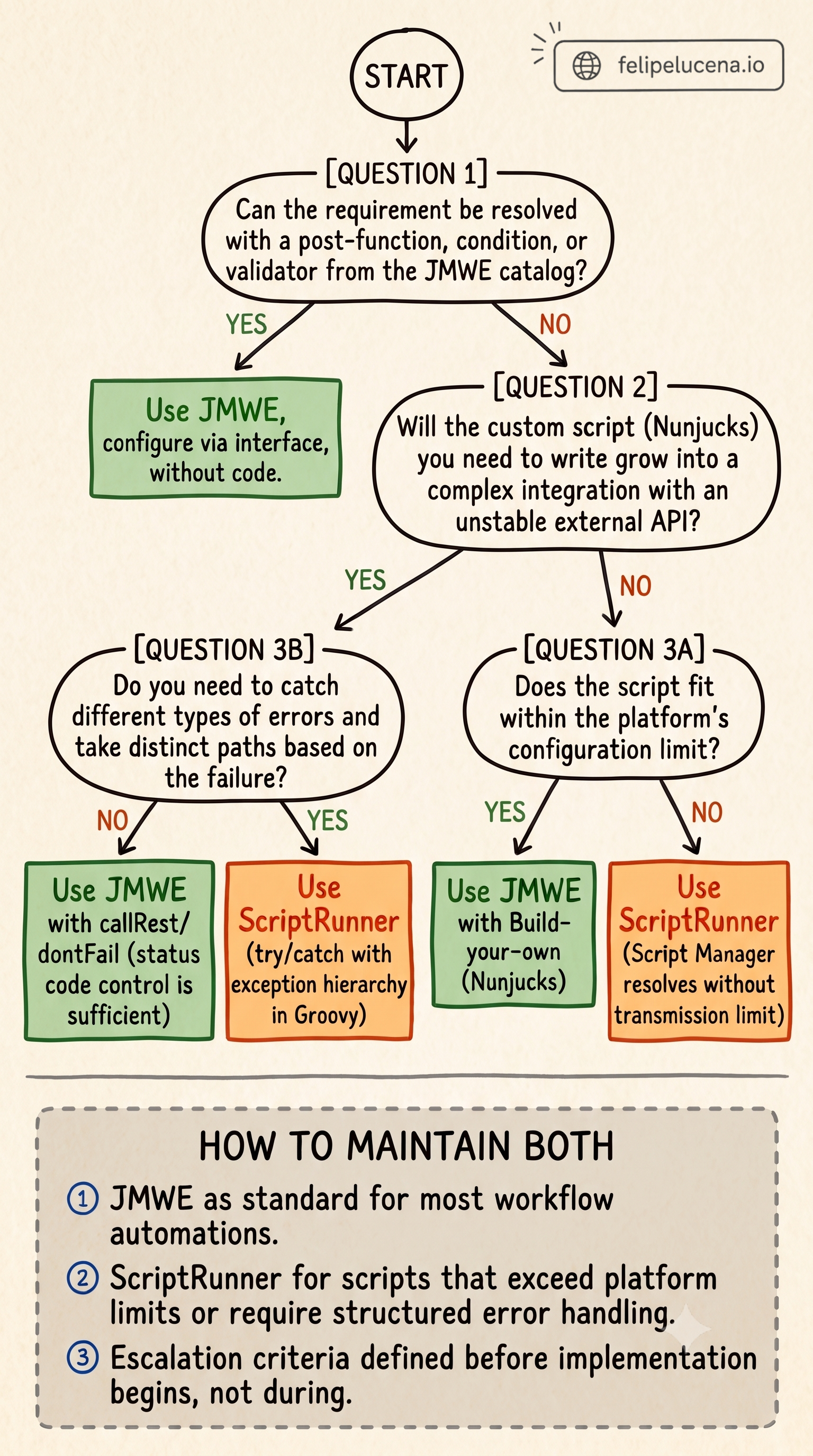
JMWE Cloud uses Nunjucks as the template language for custom scripts. Nunjucks has no try/catch. The available error control is the dontFail parameter in the callRest and callJira filters: without it, an error in the call stops the template; with it, the template continues and you check the returned _statusCode to decide what to do. It's flow control via status code — useful for stable integrations, insufficient when you need to react differently depending on the type of failure, capture detailed error context, or implement structured retry logic. Groovy has try/catch with an exception hierarchy. That structural language difference is the clearest criterion for when SR becomes necessary.
There's also the configuration limit. Atlassian transmits JMWE post-function configurations via GET URL with an 8,000-character limit — a platform restriction, not an Appfire decision. The documented workaround is to move the script to a Shared Nunjucks Template and reference it via {% include %}. In my testing with high-complexity enterprise scripts, the Shared Template also rejected large files with a 400 error — with no documented size limit from Appfire. When a script grows beyond what the platform can handle, migrating to ScriptRunner isn't one option among others — it's the only way out. And that discovery shouldn't happen in the middle of an implementation.
There's a granularity difference in triggers when automation needs to react to events outside a workflow transition. JMWE offers Event-based Actions with a Field Changed Value trigger — it fires only when that specific field changes. SR, via Script Listeners with Forge events, works with Issue Updated — which fires for any change to the issue. You control the logic by inspecting the changelog inside the script, but the volume of unnecessary executions increases — and with it, the automation's complexity and surface area for unexpected behavior.
Does it make sense to run both?
Yes. But the usage criterion needs to be defined before any implementation starts, not when the admin is already mid-project.
For low and medium complexity environments, JMWE alone is sufficient. The implementation speed is real, and integrations with external systems work within Nunjucks' limits for most use cases. For high-complexity environments — unstable integrations, logic that needs to be modularized and audited over time, scripts that grow beyond what the platform can handle — SR has the right technical infrastructure.
For environments where budget isn't the constraint, running both is the configuration with the best operational cost-benefit: implementation speed through JMWE, technical depth through SR when needed. The risk of that configuration isn't technical — it's governance. Without an explicit criterion for when to escalate from JMWE to SR, you end up with automations split by admin preference, not technical necessity. Half in JMWE, half in SR, with nobody knowing which tool should have been chosen from the start.
The framework I use in practice: JMWE is the default. SR comes in when JMWE hits a documented technical limit — a script that exceeds what the platform can handle, the need for structured error handling in an unstable integration, or logic large enough to require code-lifecycle modularization. That criterion needs to exist before any implementation starts — not as a bureaucratic rule, but as protection against discovering mid-project that the chosen tool is going to require a migration you never budgeted for.
What changes if you're still on Data Center
If you're on DC evaluating what to bring to Cloud, the question isn't which tool to renew — it's understanding that what was built on DC doesn't migrate automatically.
With ScriptRunner, the DC technical depth — JVM access, Java API, Groovy with all available libraries — doesn't translate to Cloud, which operates via REST with an authentication proxy and a fixed timeout. You don't migrate the tool. You migrate the problem, and you need to evaluate whether the solution built on DC still makes sense in the Cloud architecture before deciding which tool to carry over.
The question worth asking before choosing isn't which tool is more powerful. It's which one your team can maintain, evolve, and diagnose — and whether the criteria for when to use each one are defined before the first complex automation begins.